

Candidates who participated in the 2026 UTME and applied for admission into Nigerian universities, polytechnics, colleges of education and other tertiary institutions can check their JAMB Admission Status online through the Joint Admissions and Matriculation Board (JAMB) Central Admissions Processing System (CAPS).
JAMB CAPS is the platform used to manage the admission process and allows candidates to monitor their admission status and confirm provisional admission offers. JAMB says admissions can be processed in batches, and candidates can check their admission status at any point through the JAMB portal.
If you are waiting for your school to release its admission list, you can use the JAMB admission status checker to find out whether your admission has been uploaded to JAMB CAPS.
This guide explains how to check JAMB admission status, what the different CAPS messages mean, how to accept an admission offer and what to do if your status still shows “Not Admitted.”

What Is JAMB CAPS?
JAMB CAPS means Central Admissions Processing System. It was introduced by JAMB to automate and manage the admission process into tertiary institutions in Nigeria.
Through CAPS, institutions recommend candidates for admission, while JAMB processes and approves admissions. Candidates can then view their JAMB admission status and confirm provisional offers.
The system also helps prevent multiple admissions and gives candidates the opportunity to accept or reject admission offers.
For the 2026/2027 admission exercise, JAMB’s CAPS dashboard is already operating under the 2026/2027 admission year.
How to Check JAMB Admission Status
Checking your JAMB Admission Status is free. JAMB’s official portal specifically states that payment is not required to check admission status.
Follow these steps to check your admission:
Step 1: Visit the JAMB Portal
Go to the official JAMB e-Facility portal and access your candidate profile.
You should only use JAMB’s official website when checking your admission status. Avoid unofficial websites that ask for your JAMB login details.
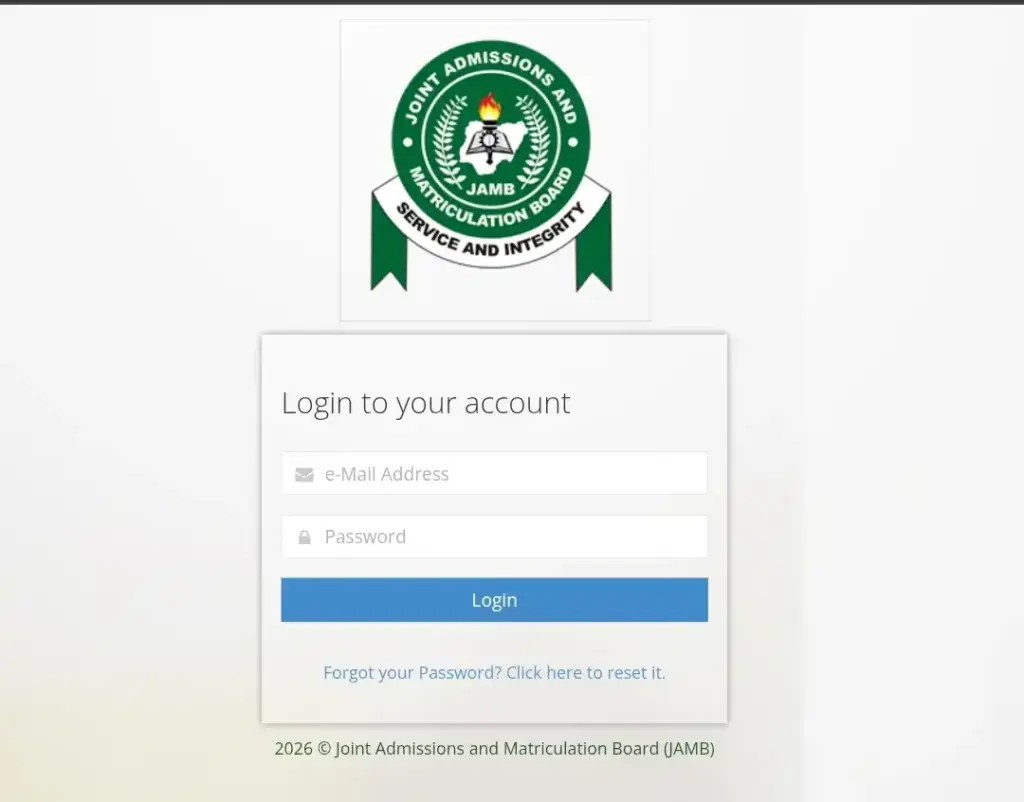
Step 2: Log in to Your JAMB Profile
Enter the email address and password associated with your JAMB profile.
After successfully logging in, you should see your candidate dashboard.
If you have forgotten your password, use the password recovery option provided on the official JAMB portal.
Step 3: Select “Check Admission Status”
From the available services, select Check Admission Status.
JAMB officially lists “Check Admission Status” as a free service on its portal. The service allows candidates to check whether an admission offer has been recorded before proceeding to admission-letter printing.
Step 4: Select Your Examination Year
If the portal asks you to select an examination year, choose 2026 for candidates who participated in the 2026 UTME.
Enter your JAMB registration number where required and follow the instructions displayed on the screen.
Step 5: View Your Admission Status
Submit your details and wait for the result.
If your institution has uploaded and processed your admission through CAPS, your admission information should be displayed.
If no admission has been recorded yet, you may see a message such as “Not Admitted.”

How to Check Admission Status on JAMB CAPS
Candidates can also access the JAMB CAPS admission status platform directly.
Go to the official JAMB CAPS website and select the appropriate candidate login option.
After logging in, locate the Admission Status section and check whether an admission offer has been made.
If you have been offered admission, carefully check the institution and programme before deciding whether to accept the offer.
What Does “Not Admitted” Mean on JAMB CAPS?
One of the most common questions candidates ask when using the JAMB admission status checker is what it means when CAPS displays “Not Admitted.”
“Not Admitted” means that there is currently no admission offer recorded for you on CAPS.
However, candidates should not automatically assume that they have been rejected permanently.
JAMB explains that admissions can be processed in batches. This means a candidate’s status can remain pending while the institution continues its admission process.
If your school is still conducting its admission exercise, continue checking your JAMB CAPS and the institution’s official admission portal for updates.
What Does “Admission in Progress” Mean?
If your CAPS shows “Admission in Progress,” your admission is still being processed.
This may happen while your institution’s admission recommendation is moving through the necessary stages.
JAMB’s CAPS documentation shows several stages in the admission process, including candidates who are recommended, approved and those who have accepted their admission.
Therefore, candidates should continue monitoring their profiles rather than assuming that an admission decision has been finalized.
What Does “Congratulations, You Have Been Offered Admission” Mean?
If your JAMB CAPS displays a message indicating that you have been offered admission, congratulations!
This means an admission offer has been made available to you through CAPS.
Before accepting the offer, check:
- The name of the institution.
- The programme or course offered.
- The admission year.
- Any other information displayed on your CAPS profile.
If everything is correct and you want the admission, proceed to accept it.
JAMB’s CAPS system was specifically designed to allow candidates to confirm provisional admissions.
How to Accept Admission on JAMB CAPS
If you have received an admission offer and want to accept it, log in to your JAMB profile and access the CAPS admission section.
Look for the admission offer and select Accept Admission.
Review the information carefully before confirming your decision.
JAMB’s admission process provides candidates with the opportunity to accept or reject provisional admission offers.
Candidates should avoid rejecting an admission offer casually, particularly if they are unsure about the consequences of doing so.
What Happens After You Accept JAMB CAPS Admission?
Accepting your admission on CAPS is an important step, but it is not necessarily the end of your admission process.
After accepting the offer, you should:
- Check your institution’s official admission portal.
- Follow the institution’s instructions for screening and clearance.
- Check when acceptance-fee payment begins.
- Complete any required documentation.
- Print your JAMB admission letter when eligible.
- Follow your institution’s registration instructions.
JAMB states that candidates who accept an admission offer can subsequently print their admission letter and access other relevant services through their profiles.
Is JAMB Admission Status Checking Free?
Yes.
Checking your JAMB Admission Status is free. JAMB’s official portal clearly identifies the “Check Admission Status” service as free and states that payment is not required for the service.
Do not pay an agent simply to check whether you have been admitted.
However, other JAMB services, including some admission-letter-related services, may attract fees. Checking your admission status itself does not require payment.
Why Is My JAMB CAPS Showing “Not Admitted”?
If you have checked your JAMB Admission Status and it still says “Not Admitted,” there are several possible reasons.
Your institution may still be processing its admission list, your name may not yet have been recommended, or the admission process may not yet have reached the stage where your offer is available for acceptance.
JAMB confirms that admissions can be processed in batches and that candidates can check their status at different stages of the admission process.
Therefore, if your school has not concluded its admission exercise, keep checking.
You should also monitor your institution’s official admission portal because schools may release admission information through their own platforms.
What If My School Has Given Me Admission But JAMB CAPS Says “Not Admitted”?
This situation can occur when the institution’s admission process and JAMB’s CAPS record have not yet been synchronized or completed.
Do not immediately pay an unofficial agent to “upgrade” your admission.
Instead, confirm the information through your institution’s official admission portal and continue checking your JAMB CAPS.
If the issue persists after the institution has completed its admission process, contact the institution’s admission office or use JAMB’s official support channels.
Can I Check JAMB Admission Status With My Phone?
Yes.
You can access JAMB’s online services using a smartphone, provided you have an internet connection and the necessary login information.
This means you do not necessarily need to visit a cybercafé just to check your JAMB Admission Status.
If you use a cybercafé or another person’s device, make sure you log out completely after checking your account and do not save your password on the device.
How Often Should I Check JAMB CAPS?
If you are still waiting for admission, it is advisable to check your CAPS regularly throughout the admission period.
There is no need to check every few minutes. However, candidates should not check only once and assume that the result will remain unchanged.
JAMB confirms that admissions can be processed in batches and that candidates can check their admission status at any point through the JAMB portal.
You should also monitor official announcements from your chosen institution.
Important Things to Know About JAMB Admission Status
Before you leave the JAMB CAPS page, remember these important points:
Use the official JAMB portal: Do not give your JAMB login details to unknown individuals.
Checking admission status is free: JAMB does not require payment simply to check your status.
“Not Admitted” does not always mean final rejection: If the admission exercise is ongoing, your status may change as more admissions are processed.
Check your school’s portal too: Your institution’s admission process and CAPS update may occur at different stages.
Accept an offer carefully: Once you receive an admission offer you want, review the details before accepting it.
Print your admission letter after acceptance: JAMB provides admission-letter services to candidates who have been offered admission.
Frequently Asked Questions About JAMB Admission Status
How do I check my JAMB Admission Status?
Log in to your JAMB profile through the official JAMB portal, then select Check Admission Status, choose the appropriate examination year and follow the instructions to view your admission status.
How do I check admission status on JAMB CAPS?
Log in to the official JAMB CAPS platform, access the candidate section and select the Admission Status option. Your current CAPS admission information will be displayed if an admission decision has been uploaded.
Is the JAMB admission status checker free?
Yes. JAMB lists its Check Admission Status service as free. You do not need to pay to check whether you have been offered admission.
What does “Not Admitted” mean on JAMB CAPS?
It means there is currently no admission offer recorded for you on CAPS. If the institution’s admission process is still ongoing, continue checking because admissions can be processed in batches.
Can my JAMB CAPS status change from “Not Admitted”?
Yes. If your admission has not been finalized and your institution is still processing admissions, your CAPS status can be updated as the admission process progresses.
Can I accept admission on JAMB CAPS?
Yes. CAPS allows candidates to confirm provisional admission offers by accepting or rejecting them.
What should I do after accepting admission on JAMB CAPS?
Check your institution’s official portal and follow its instructions for acceptance fees, screening, clearance, registration and other admission requirements. You should also print your JAMB admission letter when it becomes available.
Read also: 2026 WASSCE Results Out. CHECK NOW
Conclusion
Checking your JAMB Admission Status is one of the most important steps for candidates waiting for admission in the 2026/2027 academic session.
The process is straightforward: access the official JAMB portal, log in to your profile, select the admission-status service and check your current admission decision.
If your CAPS currently shows “Not Admitted” or “Admission in Progress,” do not panic if your institution is still processing admissions. Continue monitoring both JAMB CAPS and your institution’s official admission portal.
Most importantly, avoid unofficial agents and websites claiming that they can guarantee admission or change your JAMB CAPS status for a fee. Use JAMB’s official platforms for your JAMB Admission Status, admission acceptance and other admission-related services.
Official JAMB CAPS: JAMB Central Admissions Processing System
Official JAMB e-Facility: JAMB Portal




Pingback: FUNAAB Admission List 2026/2027 Is Out Now: Check Admission Status | Exam Scholars- JAMB Exam
Pingback: How To Upload O’Level Result On JAMB Portal With Your Phone/Laptop From Home | Exam Scholars- JAMB Exam
Pingback: FUTIA Admission List 2026/2027 Is Out Now: Check Admission Status | Exam Scholars- JAMB Exam
Pingback: UNIBEN Admission List 2026/2027 Is Out: How To Check Admission Status Now | Exam Scholars- JAMB Exam