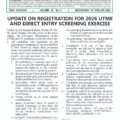

The Federal University of Agriculture, Abeokuta (FUNAAB) has released the first batch of its admission list for the 2026/2027 academic session. The update is now displayed on the university’s official admission portal, which states that the first batch admission list has been uploaded.
Candidates who applied for undergraduate admission can now check whether they have been offered a place. Admission may appear on the FUNAAB portal, JAMB Central Admission Processing System (CAPS), or both as the records are updated. If you do not see an offer immediately, keep checking because admission processing and portal synchronisation can happen in stages.
This guide explains how to check your FUNAAB admission status, what to do after an offer appears, how to respond on JAMB CAPS, and the mistakes that can delay or cancel admission.
FUNAAB admission list 2026/2027 at a glance
- Institution: Federal University of Agriculture, Abeokuta.
- Academic session: 2026/2027.
- Admission batch: First batch.
- Official confirmation: FUNAAB admission portal.
- Where to check: FUNAAB portal and JAMB CAPS.
- Admission type: Provisional undergraduate admission.
FUNAAB has stated throughout the 2026/2027 exercise that admission is offered through JAMB CAPS and depends on the carrying capacity of each course, the applicable UTME score, and compliance with O’level, UTME and Direct Entry subject requirements.
How to check the FUNAAB admission list on the university portal
- Visit the official FUNAAB 2026/2027 admission portal at admission.funaab.edu.ng/2026.
- Select the login option for the 2026/2027 admission exercise.
- Enter your JAMB UTME or Direct Entry registration number correctly.
- Provide any other login information requested by the portal.
- Open your admission status or application dashboard.
- If admitted, read the course offered and every instruction displayed on the page.
- Save or print the admission-status page and any acknowledgement generated after accepting the offer.
Use the exact JAMB registration number attached to your application. A wrong character can return an invalid record or display no result. Candidates should also use the official portal directly instead of paying an agent to check a result that can be accessed online.
How to check FUNAAB admission on JAMB CAPS
- Go to the official JAMB e-Facility portal and sign in with the email address and password linked to your JAMB profile.
- Open the service for checking admission status.
- Select the 2026 examination year and enter your JAMB registration number where required.
- Choose Access My CAPS.
- Open Admission Status and review the institution and course shown.
- If FUNAAB has offered admission and the details are correct, select Accept Admission.
- After acceptance is recorded, print your JAMB admission letter when that option becomes available.
Many candidates find the CAPS buttons easier to access with a desktop browser or by enabling desktop-site mode on a mobile browser. Never share your JAMB password or one-time code with an unknown person. If you use a business centre, stay with the operator and confirm the institution, course and action before any button is selected.
What different JAMB CAPS messages mean
Congratulations, you have been offered admission
This means an admission offer is available on CAPS. Check that the institution is FUNAAB and review the course before accepting. Once you accept, the decision is recorded against your JAMB profile.
Admission in progress
This usually means your record is being processed. It is not yet a final admission offer, so continue checking. Avoid making irreversible decisions based only on the “admission in progress” message.
Not admitted
This means there is no completed offer on CAPS at that moment. It does not always mean the entire exercise has ended, especially when only a first batch has been announced. Check again as FUNAAB processes subsequent candidates, but also verify that your O’level result and application information are complete.
Proposed or transferred programme
FUNAAB may consider a candidate for another programme where appropriate and permitted. If a transfer approval appears on CAPS, read the proposed course carefully and accept or reject it deliberately. Acceptance of a transfer proposal can allow the admission process for that new programme to continue.
What to do after receiving a FUNAAB admission offer
First, accept the offer on JAMB CAPS after confirming the course and institution. Then follow the instructions on the FUNAAB portal. The university may release separate notices for acceptance, registration, medical examination, clearance, school fees and resumption. Use the official portal for each payment and keep every receipt.
Print your JAMB admission letter and preserve the original electronic copy. You may also need your JAMB result slip, FUNAAB application record, acceptance evidence and portal-generated admission documents during clearance.
Begin arranging your credentials early. Common clearance documents include:
- JAMB admission letter.
- JAMB result slip.
- FUNAAB admission or status printout.
- WAEC, NECO or NABTEB result printout.
- Birth certificate or age declaration.
- Certificate of state or local government origin.
- Recent passport photographs.
- Screening application and payment receipts.
- Direct Entry credentials where applicable.
This list is preparatory. Follow the final clearance checklist published by FUNAAB because the university can specify additional documents, quantities, formats or verification requirements.
Check your O’level result on JAMB CAPS
An admission offer depends on verified academic records. Candidates should confirm that the correct O’level result appears on JAMB’s system. If you applied with awaiting results or later obtained a reviewed result, visit an accredited JAMB CBT centre or JAMB office when an upload or correction is required.
Check the examination type, year, number of sittings, subjects and grades. The uploaded information should agree with the result used during the FUNAAB screening application. Do not upload altered documents or enter grades that differ from the examination body’s record.
FUNAAB’s published requirements say applicants generally need five relevant O’level credits at one or two sittings. The exact compulsory subjects depend on the programme. Admission can be withdrawn if a candidate does not meet the requirements, even when an offer initially appears.
Direct Entry candidates
Direct Entry admission may be processed on a different timeline from UTME admission. If you applied through DE and do not see an offer in the first update, continue monitoring both portals and official FUNAAB announcements.
The university’s 2026/2027 criteria require acceptable advanced qualifications in addition to the applicable O’level subjects. FUNAAB states that it does not accept Lower Credit for Direct Entry admission. Candidates must also comply with transcript or statement-of-result requirements and ensure their credentials are correctly linked to their JAMB application.
Do not pay admission money to personal accounts
Admission fraud becomes common when lists are released. A message containing your name or JAMB number is not proof that the sender represents FUNAAB. Verify every offer on the official university portal and JAMB CAPS.
Generate invoices only from the approved portal and pay through the payment method stated there. Do not transfer an acceptance fee, clearance fee or “admission activation” charge to a personal bank account. University staff do not need your card PIN, mobile-banking password or one-time password to process admission.
If your name is not in the first batch
Remain calm and continue checking. A first batch is not necessarily the final admission release. FUNAAB must work within course capacity and JAMB admission procedures, so candidates can receive decisions at different times.
While waiting, confirm the following:
- Your O’level result is correctly uploaded to JAMB.
- Your FUNAAB screening application was completed before the deadline.
- Your subject combination meets the requirement for your course.
- FUNAAB remains the correct institution on your JAMB record.
- You have not missed a CAPS transfer proposal or other action request.
- Your phone number and email remain accessible for legitimate notifications.
Do not accept claims that someone can add your name to a later batch for money. Admission decisions must be reflected through the official process.
Frequently asked questions
Is the FUNAAB admission list for 2026/2027 out?
Yes. FUNAAB’s official admission portal confirms that the first batch admission list has been uploaded.
Where can I check my FUNAAB admission status?
Check the FUNAAB 2026 admission portal and your JAMB CAPS profile. Candidates should monitor both because updates may not appear at exactly the same time.
What if FUNAAB admits me but CAPS has not updated?
Confirm that you are using the correct JAMB number, then check again later. Do not pay an unofficial agent to force an update. Contact the university or JAMB through official support channels if the difference persists.
Can I accept admission on the FUNAAB portal only?
Follow the FUNAAB portal instructions, but also accept the offer on JAMB CAPS. CAPS acceptance is a central part of the recognised admission process.
Can my course be different from the one I applied for?
Yes, a candidate may be considered for another suitable programme. Review any transfer proposal or course offered and ensure you understand the programme before accepting.
Will FUNAAB release another batch?
The current announcement identifies a first batch, which indicates that admission processing may continue. Candidates should rely on later official portal notices rather than an unconfirmed release date.
Is admission final after it appears?
The offer is provisional. You must accept it, meet all academic requirements, present valid documents and complete FUNAAB’s clearance and registration steps. False or deficient credentials can lead to withdrawal.
Final advice
Check your status personally, respond promptly to a genuine offer and keep copies of every document and receipt. Candidates who are still waiting should monitor the FUNAAB portal and JAMB CAPS without paying anyone for a promised slot. The university’s official portal remains the primary source for the first-batch update and subsequent admission instructions.
Sources: FUNAAB 2026/2027 admission portal confirmation; FUNAAB admission exercise portal; JAMB e-Facility.