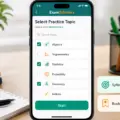

Computer-based testing (CBT) can feel intimidating at first—not because the questions are “harder”, but because you must navigate and select answers correctly on-screen while managing time. This guide is written for the main goal most WAEC/NECO candidates share: how to prepare effectively for CBT so you don’t lose easy marks through interface mistakes.
What CBT means for WAEC/NECO candidates
CBT simply changes how you sit and respond to questions. Depending on the centre and subject, your experience may include these common elements:
- Questions appear on a screen instead of on paper.
- You choose answers using keyboard, mouse, or touchscreen.
- You may need to scroll, move between questions, and confirm choices.
- Time pressure can feel tighter because you can’t rely on paper-style re-checking habits.
Key idea: Strong subject knowledge is essential, but CBT also rewards the skill of staying calm and accurate while using the exam interface.
Why students struggle in CBT (and how to prevent it)
Many candidates lose marks for reasons that are avoidable with focused practice. Common CBT pain points include:
- Clicking the wrong option due to slow or inaccurate mouse control.
- Skipping questions unintentionally while scrolling or moving between items.
- Not understanding how to confirm/submit (especially if the interface has a “confirm” step).
- Misreading the screen because of glare, small font, or poor posture.
- Practising only one style (for example, reading-only drills without timed conditions).
If you can reduce these errors in training, your WAEC/NECO CBT performance becomes more predictable.
A step-by-step CBT preparation plan (start now)
This plan works for WAEC candidates, NECO candidates, and also private candidates who need a practical routine. The emphasis is on two things: interface confidence and timed objective practice.
Step 1: Learn basic CBT controls before you attempt tough questions
Your first job is comfort with navigation. Practice these basics until they feel automatic:
- Keyboard movement: use Tab / Shift+Tab to move between options, Enter to confirm, and Esc if your practice interface supports exit/return.
- Mouse movement: move smoothly, select precisely, and learn to pause before clicking.
- Navigation: practise how to scroll and how “next/previous question” works in your mock interface.
Practical tip: Don’t begin with difficult content. Start with simple CBT-like screens where your only goal is correct selection and navigation.
Step 2: Train speed for selecting answers—without losing accuracy
CBT rewards calm speed. Many students make the mistake of trying to rush thinking, then “clicking fast”. Instead, train both:
- Select answers carefully first.
- Only after finishing the set, check and review.
At-home drill:
- Choose 20 objective questions (any subject).
- Set a timer for 10–15 minutes.
- Answer thoughtfully, then review afterward.
Repeat this drill regularly. Your target is reducing hesitation, not rushing.
Step 3: Build a “keyboard-to-answer” habit
On CBT, you must link your mind’s choice to the interface quickly. A common wrong habit is: read options → search for the button/option again → then click. This breaks your rhythm.
Train this habit instead:
- Read the question.
- Pick the correct option mentally (A/B/C/D or 1/2/3/4).
- Select immediately using the keyboard/mouse.
This reduces the chance that you click the wrong choice after your thinking has already moved forward.
Step 4: Use timed mocks that feel like the real test
Long study without CBT-style timing often fails candidates. Your practice should include timed sets and review.
Try this structure for a mock session:
- Warm-up: 15 minutes of easy questions.
- Main set: 45–60 minutes with a timer.
- Review: 20 minutes to understand why your answers were wrong.
Why review matters: marks improve when you correct errors, not when you repeat the same mistake patterns.
Step 5: Fix “interface mistakes” with a checklist
Before each timed mock, prepare a short checklist. Follow it like a routine:
- I know how to move to the next question.
- I know how to confirm/submit (if my centre’s CBT uses confirmation).
- I will not click twice quickly without reading.
- If I skip a question, I will return before submission (if allowed in that interface).
- I will read options carefully because screens can look similar.
Last 2 minutes routine: do a quick scan for any unattempted questions before submitting. Even if the system restricts returns, build the reflex of “double-checking” in your training.
Subject-wise CBT tips for WAEC/NECO
Objective questions dominate CBT. Still, each subject needs a slightly different approach. Use the tips below to match how the questions are usually answered on-screen.
Mathematics, Physics, and Chemistry (calculation + choice)
Your challenge is not only getting the correct answer; it is selecting the correct option quickly.
- Write working briefly: use scrap paper and keep steps short. Avoid rewriting long derivations.
- Check units and signs: careless plus/minus errors lead to wrong options.
- Eliminate two options first: reduce choices, then choose the best remaining option.
For science-related theory questions, focus on understanding key terms and diagrams—CBT may test understanding rather than memorization alone.
English Language and Literature (read fast, choose correctly)
CBT may show longer passages. Your job is to read efficiently and match meaning to the option.
- Read the question first: identify what the question wants (meaning, implication, best option).
- Scan for keywords: look for words related to the question to find the correct line faster.
- Choose options that match tone and meaning: avoid “almost correct” options that shift the meaning.
Government, Economics, and Social Studies (concept + application)
CBT rewards clarity of concepts and the ability to match an option with what the concept implies in practice.
- Convert topics into short notes: definitions, simple examples, and “why” explanations.
- Practice past questions by topic.
- For each question, ask: Which concept is being tested? Then select the closest option.
How to practise CBT with limited devices or weak internet
Not every student has constant access to a laptop or data. The good news is that CBT preparation can still be done effectively.
- Offline practice: use downloaded CBT-style questions or apps that can work without constant internet.
- Borrow wisely: if you can access a computer occasionally, use that time for timed mocks (not only long reading).
- Keyboard drills on any device: practise selecting options quickly even on smaller screens.
- Paper-to-CBT transfer: after solving paper MCQs, practise selecting options in the same order you would on-screen.
Tip: Even if your environment is not perfect, timed objective practice plus interface comfort will still improve your CBT readiness.
What this means for students
If your exams involve CBT, treat interface readiness as part of exam preparation—not as a side issue.
When you train CBT correctly, you build:
- Confidence: you won’t panic when you see the screen.
- Accuracy: you avoid wrong selections through careful clicking/selection.
- Speed: you navigate without rushing into errors.
- Consistency: your practice pattern helps you stay steady under time pressure.
So even when your subject mastery is strong, CBT skills protect your marks by preventing interface-driven mistakes.
What students should do next (simple 7–10 day plan)
Don’t wait for the “perfect time”. Start with one subject and one routine. Here’s a practical next-step plan:
- Pick one subject to improve first (e.g., Mathematics or English Language).
- Get one CBT-style set of objective questions and do it with a timer.
- Review your mistakes and write short error notes (for example, “misread units” or “clicked wrong option”).
- Repeat the same style two times within the next 7–10 days, always with timed practice.
- Increase difficulty gradually: begin with easier questions, then mix harder ones as your accuracy improves.
When you can complete timed sets without panicking, CBT becomes manageable and your focus returns to the content of WAEC/NECO questions.
FAQ
1) Will WAEC and NECO fully move to CBT for all subjects?
Test formats can vary by centre and subject. Some candidates may see CBT in certain areas while others experience paper. The safest approach is to practise both the subject content and CBT navigation/selection skills so you can handle any format.
2) How can I stop clicking the wrong option during CBT?
Use a consistent habit: read the question, choose mentally, then click/select once. Practise with timed mocks so your selection becomes more accurate under pressure. Also pause briefly before clicking if you feel rushed.
3) I understand theory but I score low in objective questions. What should I do?
Objective questions require understanding plus elimination. After reading, remove options you know are wrong, then select the best remaining choice. Add timed MCQ practice to your revision so your knowledge translates into correct answers.
4) What if I’m confused about how to submit or confirm?
Practise the interface during mocks so you know what actions are required. On the real test, follow centre instructions. If you are unsure, focus on reading the question and use navigation that is allowed (like next/previous) without experimenting blindly.
5) How do I manage time in CBT?
Avoid staying too long on one question. If you are stuck, eliminate two options and make the best remaining choice. If the interface allows marking or skipping, do it strategically and return at the end if time remains.
Conclusion
To prepare for WAEC/NECO CBT, you need more than revision notes. You need subject mastery and interface confidence. The fastest way to improve is to practise timed CBT-style objective sets, review your mistakes, and use a simple navigation checklist so you stop losing marks through avoidable clicking or scrolling errors.
Start today: choose one subject, do a timed CBT-style set, review your errors, and repeat the cycle. That is what turns CBT from a fear into a skill you control.